
Zapier can't do it. Planning Center's Zapier integration offers six triggers and no actions at all, so a Zap can read from Planning Center but never write to it. If you've been searching for a way to send form submissions into People, the page sitting at the top of Google is for the opposite thing.
What Zapier actually offers
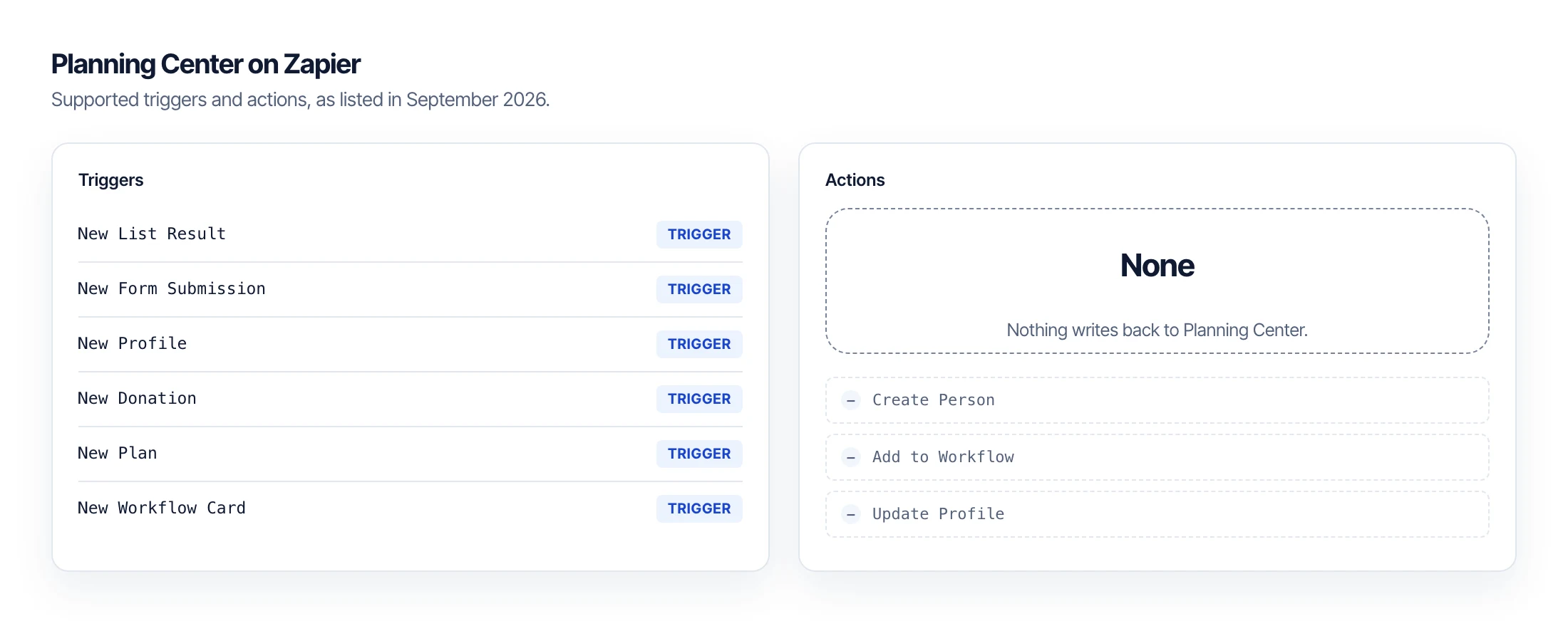
Open Zapier's Planning Center integrations page and find the section headed Supported triggers and actions. As of September 2026 it lists six items: New List Result, New Form Submission, New Profile, New Donation, New Plan, and New Workflow Card.
Every one is labeled Trigger, and every one says the same thing underneath: this is the start of your Zap. There is no Create Person, no Add to Workflow, no Update Profile. Nothing writes back.
The Gravity Forms integration Zapier promotes therefore runs the direction nobody asked for. Planning Center fires an event, and Gravity Forms creates an entry. A church that wants the reverse, where someone fills in a form on the church website and lands in a People workflow, has no supported path at all.
Each trigger polls rather than listens. Zapier's own page says it checks for new data every 15 minutes on the free plan, so even the direction it does support runs on a delay.
The workaround, and what it costs you
There is a way through, and you should know what it involves before you spend a weekend on it. Zapier's generic Webhooks action can POST straight to the Planning Center API, so a Zap can fire a Gravity Forms submission at the People endpoint with a hand-built JSON body.
Four things come with that. You need a Personal Access Token stored inside Zapier, which puts a credential for your whole church database in a third-party automation tool. You write the payload by hand and maintain it, and it breaks quietly when a field changes. Webhooks sit behind a paid Zapier plan. And nothing checks whether the person already exists.
That last one is the one that hurts. Run a webhook Zap against a contact form for six months and you'll have two Sarah Johnsons, then three, and a staff member cleaning up duplicates on a Tuesday afternoon.
What about Planning Center's own Forms?
Use them if they fit. Forms is built into People at no extra cost, submissions land exactly where you want them, and there is no integration to maintain. For plenty of churches that is the right answer and you can stop reading here.
The tradeoff is where the form lives. A Planning Center form is served from Church Center, so you send someone off your website to a page you don't control and didn't design. You also can't use the form builder you already own, with the conditional logic, layout, and payment fields your team already knows.
What PCO Bridge does instead
PCO Bridge connects the form builder already on your site to People workflows. It runs after Gravity Forms has finished its own validation and spam checks, so nothing reaches Planning Center that your form would have turned away.
Three differences show up once you are past the demo. Submissions persist idempotently, so a retry after a network blip doesn't create a second person. Delivery runs under durable alarms rather than a polling loop, so it isn't waiting on a fifteen-minute check. And when a submission can't be matched to a person with confidence, it is held for review by someone with the right permission instead of being written blind.
That third one is the answer to the duplicate problem, because a webhook can only ever guess. Your Planning Center tokens also stay encrypted on the server, and your WordPress site holds one site-specific key rather than a token with access to everything.
Contact Form 7 and WPForms Lite work the same way.
Getting set up
Connect Planning Center once from your account, choose which forms feed which workflows, and submissions start arriving as workflow cards ready for follow-up. Your form stays where it is, on your domain, in your design.
PCO Bridge is in beta and applications are open to churches, developers, and agencies.